English
 Chinese



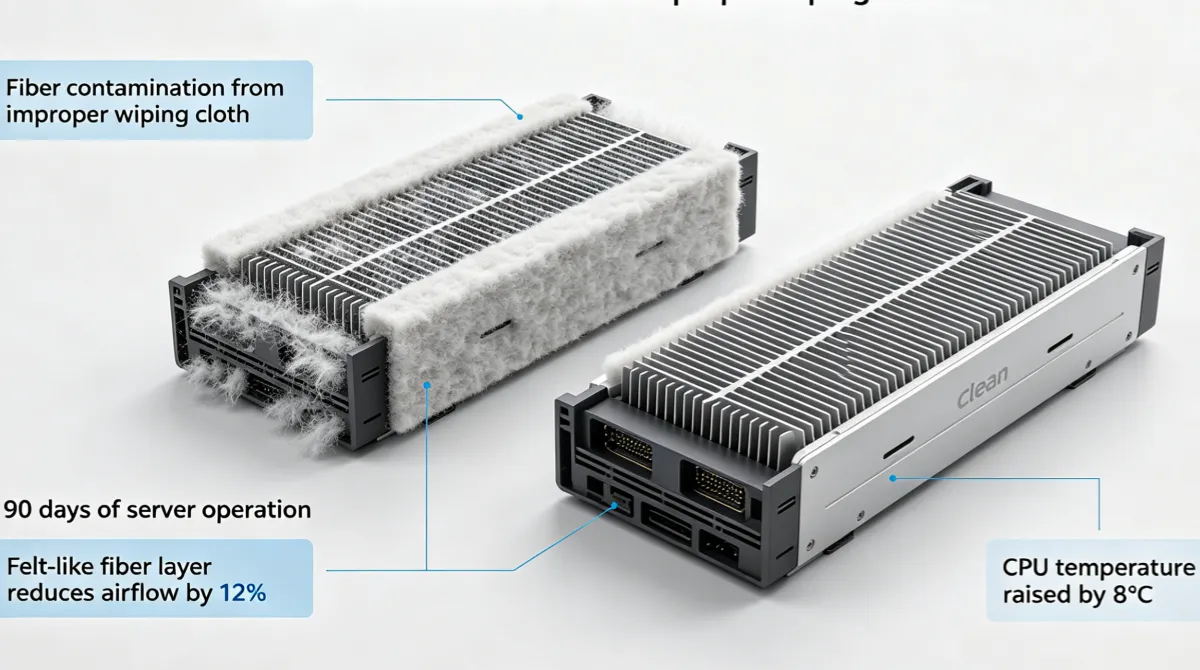
A hyperscale data center operator in Hebei had an unusual problem. Their server failure rate in one hall was 2.3× higher than the identical hall next door. Same hardware, same workload, same cooling system, same maintenance team. The investigation took three months. The root cause: the maintenance team in Hall B had switched to a cheaper wiping cloth for their quarterly server cleaning. The cloth was leaving microscopic fibers on the heatsink fins and fan blades. Over 90 days, those fibers accumulated into a felt-like layer that reduced airflow by 12% and raised CPU temperatures by 8°C. The thermal throttling wasn’t enough to trigger alerts—just enough to shorten component lifespan.
We supply industrial wiping cloths to data center operators, server OEMs, and IT equipment maintenance companies across Asia. This guide covers what we’ve learned about specifying wipes for data center and server equipment—where the wipe affects not just cleanliness, but thermal performance, ESD safety, and ultimately your uptime SLA.
Why Data Centers Have Different Wipe Requirements Than Offices
Office IT cleaning and data center equipment maintenance are completely different applications. An office keyboard wipe removes fingerprints and food residue. A server maintenance wipe must address:
- Thermal interface maintenance — CPUs, GPUs, and memory modules rely on thermal paste or thermal pads for heat transfer to heatsinks. Your wipe must remove old thermal compound completely without leaving residue that creates an insulating layer between the chip and the heatsink. A 5μm residue layer of dried thermal paste reduces thermal conductivity by 15–20%.
- Airflow path cleaning — Server fans, heatsink fins, and air baffles accumulate dust and fiber deposits that restrict airflow. At 15,000 RPM fan speeds, even a thin fiber layer on fan blades causes imbalance, vibration, and premature bearing failure. Your wipe must remove these deposits without generating new fibers.
- ESD protection — Every component inside a server is ESD-sensitive. A wipe that generates static during use is a direct risk to CPUs, DIMMs, SSDs, and network interface cards. The cost of one ESD-damaged component dwarfs years of wipe savings.
- Uptime constraints — Data center maintenance windows are measured in minutes, not hours. Your wipe must work fast—one-pass cleaning, no residue, no rework. If the maintenance tech has to go back and re-clean a surface because the wipe left residue, you’ve burned your maintenance window.
ESD Safety: The Number One Risk in Server Maintenance
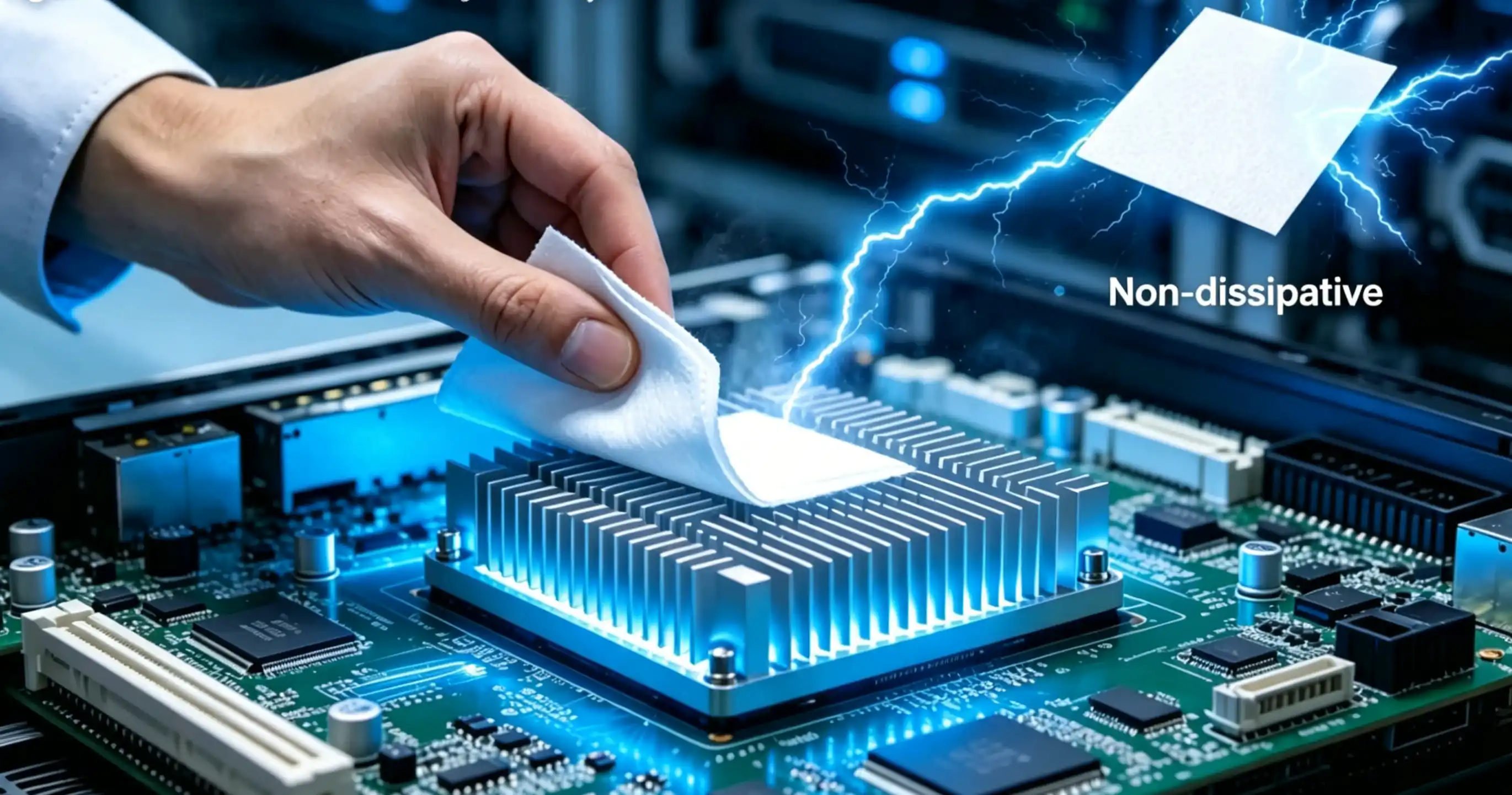
Electrostatic discharge is the most expensive risk in server maintenance. A single ESD event can damage a component invisibly—the server boots, passes diagnostics, and runs for weeks or months before the damaged component fails under load. By then, the cause is untraceable, and you’ve got a mystery failure that your hardware vendor won’t warranty.
Your wiping cloth is an ESD risk in two directions:
- Charge generation — A non-dissipative wipe generates triboelectric charge during use. On a dry winter day in a data center with 30% RH, a standard polyester wipe can generate 5,000–15,000V of static. That’s 10–30× the damage threshold for most semiconductor components.
- Charge retention — Some wipe materials hold charge for seconds after use. An operator wipes a server chassis, sets the charged wipe on a DIMM slot, and the charge discharges through the memory module. The wipe itself becomes an ESD source.
For data center maintenance, specify wipes with:
- Surface resistivity in the dissipative range (10⁶–10⁹ ohms/square)—this allows charge to bleed off through the wipe to ground, not accumulate on the surface.
- Charge decay time below 0.5 seconds from 5,000V to 50V—the wipe should neutralize charge faster than the operator can move it near a sensitive component.
- Verifiable lot-level ESD test data—not just a “anti-static” label claim.
Thermal Paste and Thermal Pad Maintenance: The Wipe That Affects Cooling
CPU and GPU thermal compound replacement is one of the most common server maintenance tasks—and one of the most affected by wipe selection.
Thermal Paste Removal
Old thermal paste dries, cracks, and loses thermal conductivity over 3–5 years. Replacement requires complete removal of the old compound from both the CPU heat spreader and the heatsink base. The wipe must:
- Dissolve and absorb dried thermal compound—most thermal pastes use silicone oil, zinc oxide, or ceramic particle bases that require specific solvents for removal. Isopropyl alcohol (90%+) is the standard solvent for thermal paste removal.
- Leave zero residue—any residue from the wipe creates an insulating layer between the new thermal paste and the metal surface. Even a thin film of wipe material residue reduces thermal conductivity.
- Not scratch the CPU heat spreader or heatsink base—scratches on the mating surface create air gaps that reduce thermal contact area. Use a soft, non-abrasive wipe.
For thermal paste removal, we recommend a 100% polyester, lint-free wipe dampened with 90%+ IPA. The polyester won’t dissolve in IPA, won’t leave cellulose residue, and is soft enough not to scratch copper or nickel-plated surfaces. Wipe in one direction—don’t use circular motions that redistribute paste into surface scratches.
Thermal Pad Replacement
Thermal pads (used on VRMs, memory modules, and chipset coolers) leave an oily residue when removed. This residue must be completely cleaned before applying a new pad—oil residue prevents the new pad from making full contact with the component surface. Use a wipe with enough absorption capacity to lift the oily residue. A cellulose/polyester blend works well for thermal pad residue—the cellulose absorbs the oil, and the polyester prevents the wipe from tearing on the sticky residue.
Dust and Particulate Removal in High-Airflow Environments
Data centers move enormous volumes of air. A single server chassis pushes 50–200 CFM of air through its cooling system. Over months, this airflow deposits dust, skin flakes, carpet fibers, and airborne particulates on every internal surface—fan blades, heatsink fins, PCB surfaces, and connector pins.
Quarterly or semi-annual server cleaning removes these deposits to restore airflow and prevent thermal issues. The wipe used for this cleaning must:
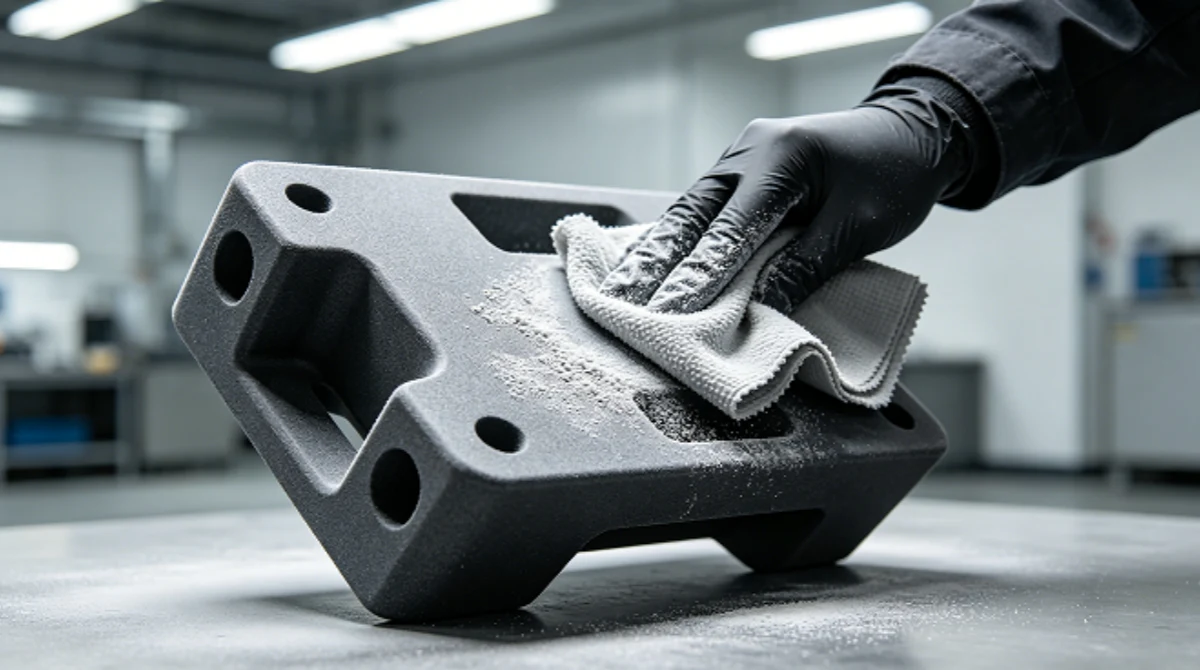
- Generate zero fibers during use—any fiber you introduce during cleaning is worse than the dust you removed, because fibers clump and restrict airflow more than loose dust particles.
- Be compatible with compressed air pre-cleaning—most maintenance teams blow out loose dust with compressed air before wiping. The wipe handles the residual film that compressed air doesn’t remove.
- Work on multiple surfaces—PCBs, metal chassis, plastic fan shrouds, rubber gaskets, and thermal interface surfaces all need cleaning, often with the same wipe. The wipe must be safe on all these materials.
Fiber Control: Why Your “Lint-Free” Wipe Is Clogging Your Fans
The Hebei data center’s mystery failure came down to fibers. Their “lint-free” wipe was shedding fibers during use—fibers too small to see during maintenance but large enough to accumulate on heatsink fins and fan blades over 90 days of continuous airflow.
Here’s why standard “lint-free” wipes fail in data center applications:
- Edge construction — Cut-edge wipes release fibers from the cut perimeter every time the wipe contacts a surface. In a data center maintenance wipe-down, you’re contacting dozens of surfaces per wipe—each contact releases fibers. Sealed-edge construction (laser or ultrasonic) eliminates this fiber source.
- Fiber length — Some “lint-free” wipes have short fibers that detach easily under friction. Short fibers are worse than long fibers in a server—they’re small enough to pass through fan filters and accumulate on heatsink fins. Specify wipes with long-staple fibers or continuous filament construction that resist detachment.
- Fan speed amplification — Server fans run at 8,000–15,000 RPM. Any loose fiber on a fan blade gets centrifuged outward and deposited on the nearest surface—usually the heatsink. A fiber that would be harmless in a static environment becomes a cooling problem at fan speed.
After the Hebei incident, we ran fiber generation testing simulating data center maintenance conditions. Our sealed-edge polyester wipe generated 85% fewer fibers ≥100μm than the cut-edge wipe the Hall B team had been using. They switched, and Hall B’s failure rate dropped to match Hall A within two quarters.
Liquid Cooling System Wipe-Down
As data center power density increases, liquid cooling is becoming standard for high-performance compute (AI/ML training, HPC). Liquid cooling systems have their own wipe requirements driven by coolant chemistry and leak prevention.
Cold Plate and Quick-Disconnect Cleaning
Cold plate surfaces and quick-disconnect fittings must be free of particles, fibers, and finger oils before assembly. A particle trapped in a cold plate seal causes a coolant leak that can destroy an entire server node. A fiber in a quick-disconnect fitting prevents the O-ring from sealing—a slow leak that shows up as corrosion damage months later. Use a lint-free, sealed-edge wipe with IPA for cold plate and fitting cleaning. Inspect the sealing surfaces under magnification after wiping.
Coolant Reservoir and Tubing
During coolant flush and replacement, reservoir interiors and tubing connections require wipe-down to remove old coolant residue and biological growth. The wipe must be compatible with your coolant chemistry—most data center coolants are propylene glycol or PG-water blends, which are compatible with standard polyester and polypropylene wipes. For dielectric coolant systems (3M Novec, mineral oil), verify wipe material compatibility before use.
CDU (Coolant Distribution Unit) Maintenance
CDU internal components—pumps, heat exchangers, filters, and flow meters—require periodic wipe-down during maintenance. These components contact the coolant directly, so the wipe must not introduce particles or fibers that circulate through the cooling loop and clog cold plate channels. A fiber in a cold plate channel is a cooling failure that’s expensive to diagnose and repair.
Hot Aisle / Cold Aisle: Where to Wipe and What to Use
Data center airflow design affects your wipe strategy. Here’s how to think about wipe-down in different zones:
Cold Aisle (Server Intake Side)
The cold aisle is where filtered, cooled air enters the server. Wipe-down of server front panels, drive bay bezels, and cable management surfaces in the cold aisle is low-risk—these surfaces don’t contact internal components directly. A standard anti-static wipe is sufficient. Focus on removing dust accumulation that could be ingested by the server fans.
Hot Aisle (Server Exhaust Side)
The hot aisle is where heated exhaust air exits the server. This air carries fine particulates—thermal paste degradation products, PCB outgassing residue, and micronized dust that passed through the server. Hot aisle surfaces (rear doors, cable managers, PDU housings) accumulate a sticky, conductive film over time. Use a wipe with enough solvent action to remove this film without leaving residue. IPA-dampened polyester wipes work well for hot aisle cleaning.
Inside the Server Chassis
Internal chassis cleaning—during component replacement or quarterly maintenance—requires the highest-spec wipe in your data center. ESD-safe, sealed-edge, lint-free, compatible with IPA and thermal paste solvents. This is not the place to save money on consumables. One ESD-damaged DIMM module costs more than your entire annual server cleaning wipe budget.
Your Data Center Consumables Team at WIPESTAR
Data center accounts get a team that understands ESD safety and thermal management—because in a data center, your wipe affects uptime, not just cleanliness.

Ethan — Sales Director
Ethan manages data center industry accounts with an understanding of the uptime economics that drive data center procurement decisions. He knows that a wipe specification isn’t just a consumable choice—it’s a risk management decision that affects your SLA commitments. He handles multi-site supply agreements for hyperscale operators and manages the qualification process for data center-specific wipe requirements.

Yunyun — ESD Project Manager
Yunyun tests every data center wipe for ESD safety under conditions that simulate actual server room environments—low humidity, high airflow, and contact with common server materials (aluminum, copper, FR-4 PCB, polycarbonate). She provides lot-level ESD test data showing surface resistivity and charge decay time, so your maintenance team knows exactly what they’re using on your ESD-sensitive equipment.

Zac — Customer Service
Zac handles the ordering logistics that data center maintenance schedules demand. Server cleaning happens on a quarterly or semi-annual cycle, and the wipes need to arrive before the maintenance window—not during it. He coordinates delivery scheduling with your maintenance planning team and manages emergency orders when a maintenance event runs over and additional stock is needed mid-window.

Zhen — Account Manager
Zhen manages ongoing data center account relationships and handles the quality follow-up that maintenance-sensitive environments demand. If your maintenance team reports a wipe issue—residue, fiber generation, ESD concerns—he coordinates the investigation and response. He also tracks your consumption across sites and recommends inventory optimization for multi-location data center operators.
Meet the full team: WIPESTAR Team Page →
Frequently Asked Questions About Industrial Wiping Cloths for Data Center Maintenance
Request Data Center Maintenance Wipe Samples
We supply industrial wiping cloths for data center and server equipment maintenance—ESD-safe for component handling, sealed-edge for fiber control, and thermal paste compatible for CPU/GPU maintenance. ISO 9001:2015 certified production. Free samples with ESD test data for qualified data center operators.
Browse our wiping cloth range →